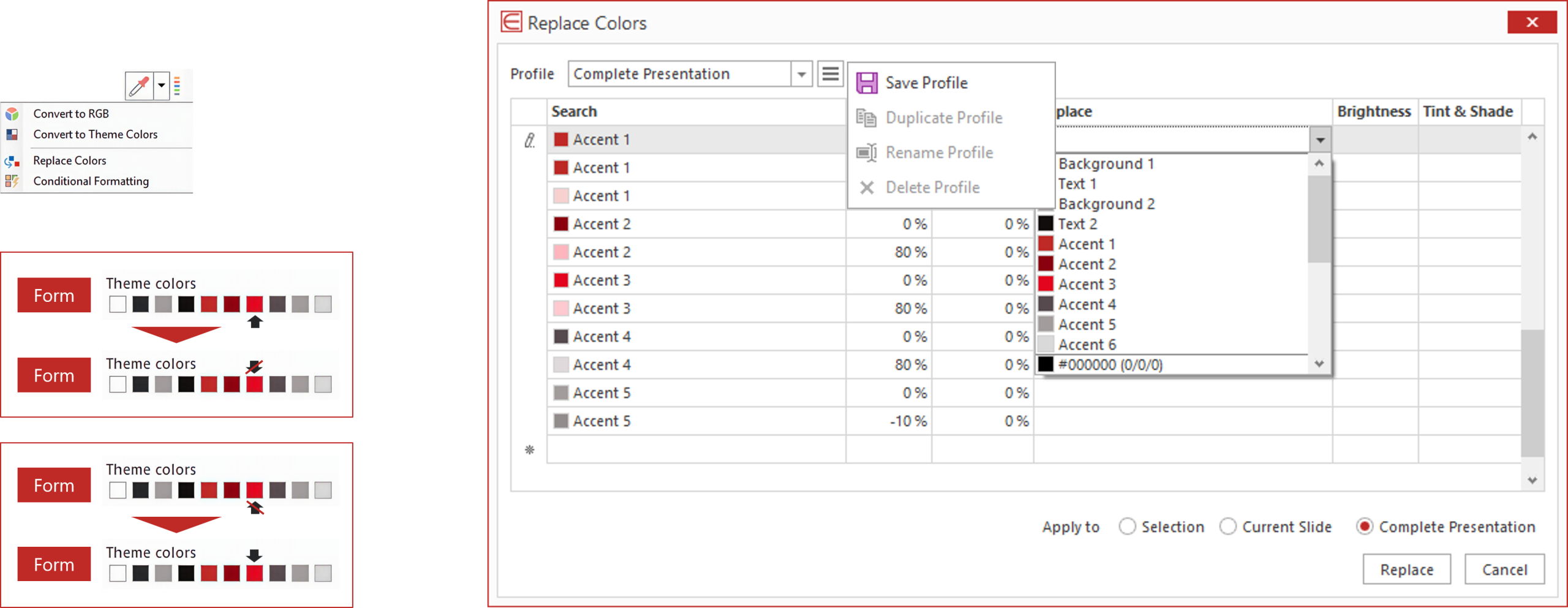
Open the drop-down menu next to the eyedropper in the toolbar.
- Convert colors to RGB/Design colors
To prevent the automatic changing of colors when copying elements to external templates, the design colors can be converted to RGB values. These are fixed in their values.
This also applies if, for example, the color sequence of the design colors has been changed and the colored objects should not take on the color value of the newly defined color position (e.g. accent 1). In this case, the objects are converted to RGB colors and then, after insertion into the new template, converted to design colors. PowerPoint then checks which colors are identical, regardless of the new position in the color sequence. - Replace colors
Change colors for selected objects, an entire slide or the entire presentation, save your own color profiles