THE WIZARDS
Text Wizard
Insert text snippets or special characters from the Text Wizard library
— without hunting for the right symbol or wording.
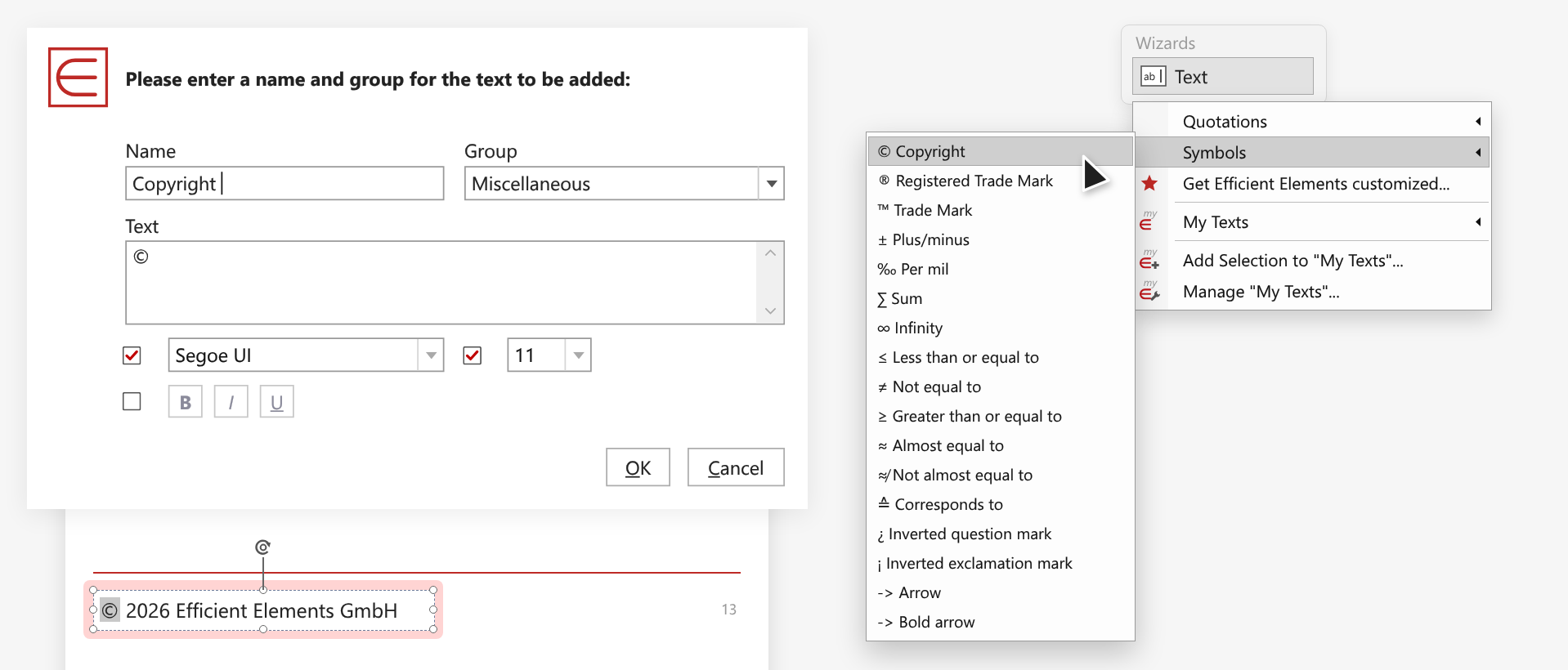

Insert text snippets or special characters from the Text Wizard library
— without hunting for the right symbol or wording.
Access frequently used wording and special characters in seconds.
Keep reusable phrases and snippets ready whenever you need them.
Make recurring wording easy to reuse and share across your team.
Save frequently used phrases, symbols, and company-specific wording in one place — then insert them directly into your presentation whenever you need them.
Store frequently used wording in My Texts for quick reuse.
Access symbols, arrows, quotation marks, and other characters without searching or retyping.
Make approved terminology and recurring phrases available across your team.
Combine the Text Wizard with other Efficient Elements tools to streamline workflows, save time, and keep your team on track. Explore more features and discover how they work together across your presentations.
Explore FeaturesYes. You can store snippets either as plain text or with full formatting, enabling consistent typography and style when inserting recurring elements.
Libraries created with My Texts can be exported and imported, making it easy to distribute corporate wording, disclaimers, or specialized terminology.
Frequently repeated text like legal notices, country names, addresses, measurement labels, abbreviations, or standard definitions works best.
