INTERACTIVE TOOLS
Smart Elements
Insert smart elements that you can edit interactively on the slide
— no redrawing, no re-formatting.
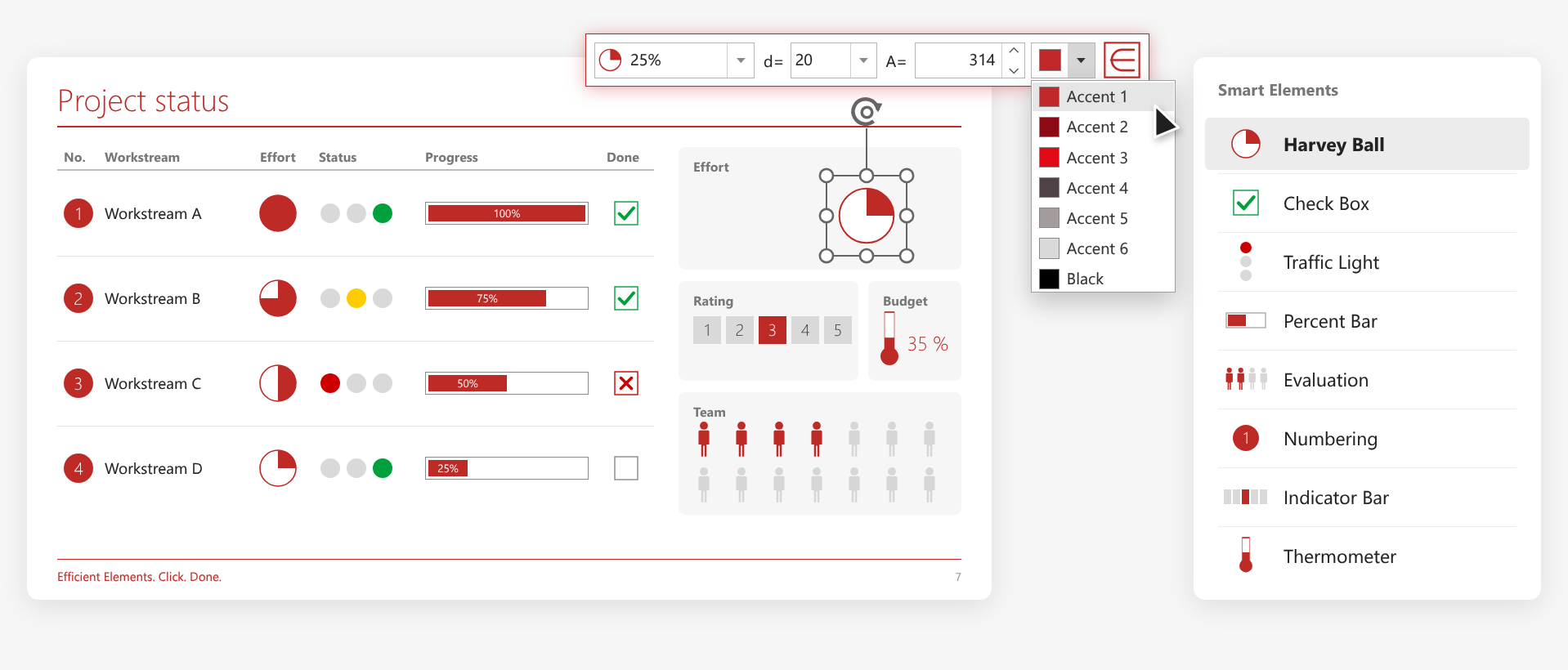

Insert smart elements that you can edit interactively on the slide
— no redrawing, no re-formatting.
Adjust Smart Elements interactively without redrawing or re-formatting them whenever values or status change.
Use harvey balls, traffic lights and percent bars to make progress, percentages, and status easy to understand at a glance.
Use evaluation and thermometer elements to compare ratings or track values towards a defined target.
Adjust values, status, and evaluations directly on the slide — without redrawing elements or rebuilding their formatting every time something changes.
Use harvey balls, percent bars, and thermometers to visualize progress, percentages, and values towards a target — all edited directly on the slide.
Use traffic lights to communicate status clearly, with direct control over color and orientation.
Create star-style evaluations, choose the number of stages, and adjust the rating itself directly within the presentation.
Add simple numbering elements to mark steps, sections or callouts, all in the same style across your presentation.
Combine the Smart Elements with other Efficient Elements tools to streamline workflows, save time, and keep your team on track. Explore more features and discover how they work together across your presentations.
Explore FeaturesSmall visual indicators such as percentage bars, rating stars, traffic lights, harvey balls, number balls and thermometer scales that can be edited directly on the slide.
Yes. Colors, borders, and proportions can be customized to your corporate design, ensuring consistent visual language across all presentations.
Absolutely. You can adjust levels, percentages, ratings, or colors directly in the slide — no additional formatting steps required.
