INTERACTIVE TOOLS
Project Plan
Build a timeline-driven project plan that highlights tasks,
and milestones — instantly clear for every audience.
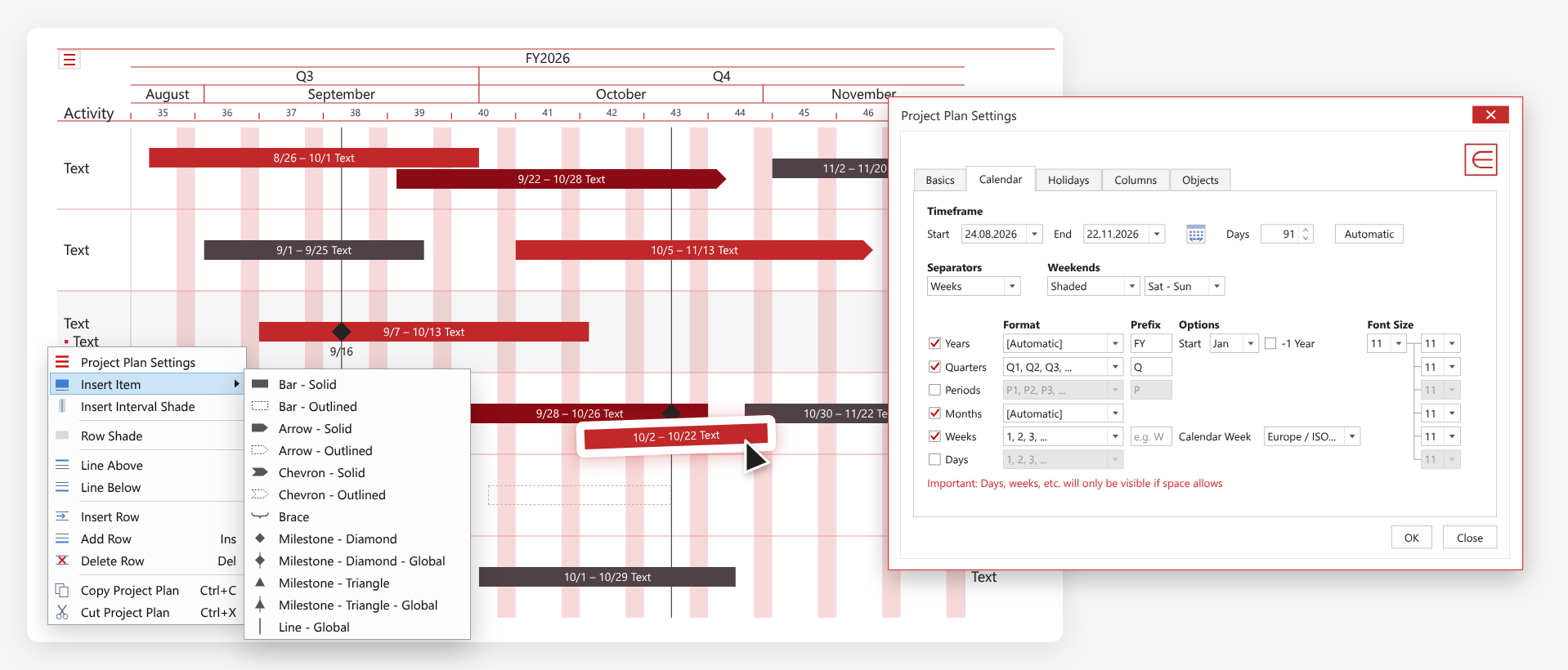

Build a timeline-driven project plan that highlights tasks,
and milestones — instantly clear for every audience.
Turn complex projects into clear timelines with tasks, durations, and milestones visible in one structured view.
Visualize how tasks connect and depend on each other so overlaps, bottlenecks, and critical relationships are easier to recognize.
Communicate project status with clear visual timelines that make progress, milestones, and schedule changes easy to understand.
Structure complex projects into clear timelines with tasks, milestones, and deadlines — so every phase stays easy to understand and update as the project evolves.
Group phases, tasks, subtasks, and deadlines into a clear structure that makes complex projects easier to navigate.
Make important checkpoints and project milestones visible so key dates and decision points stand out immediately.
Shift tasks and dates as plans change and keep delays visible without rebuilding the entire project chart.
Combine the Project Plan with other Efficient Elements tools to streamline workflows, save time, and keep your team on track. Explore more features and discover how they work together across your presentations.
Explore FeaturesYes. When timelines shift you can extend, shorten, or move tasks without reconstructing the entire chart.
Yes. Milestones can be displayed as chevrons or distinct markers, helping stakeholders instantly recognize key decision points in a timeline.
Yes. You can control colors, bar styles and label formats. The overall look and feel will match your corporate branding by default.
