THE WIZARDS
Element Wizard
A well-organized set of useful slide elements in an easy-to-navigate
gallery structure — ready to drop into your presentation.
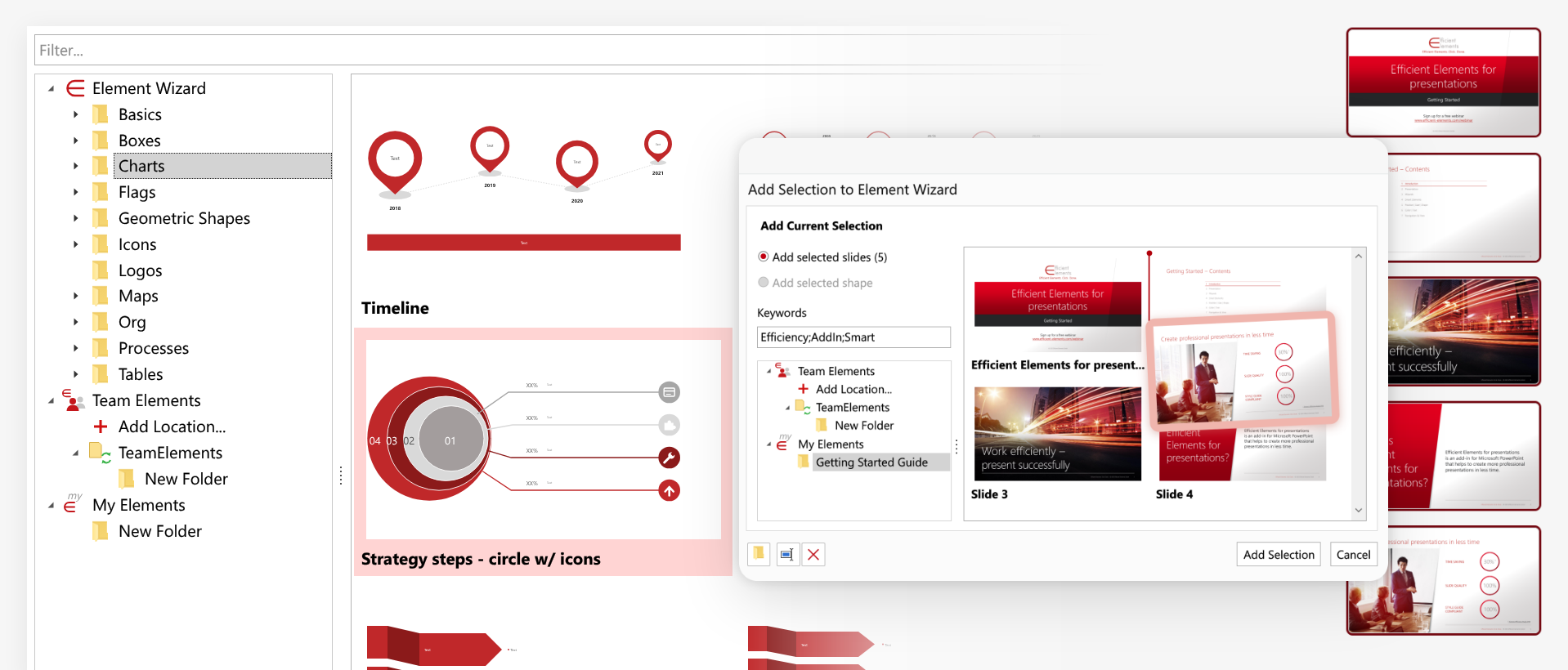

A well-organized set of useful slide elements in an easy-to-navigate
gallery structure — ready to drop into your presentation.
Choose from layouts, charts, diagrams, maps, processes, tables, and more — all organized in one clear gallery.
Include your company’s own slide collection in a customized Element Wizard edition, so reusable content is already on-brand.
Save frequently used content in My Elements or share slides and slide elements across your team with Team Elements.
Navigate a clearly structured gallery, narrow down the selection, and insert the right content directly into your presentation — without interrupting your workflow.
Explore boxes, charts, flags, geometric shapes, icons, logos, maps, processes, tables, and more in a clearly organized gallery.
Narrow down the gallery with keyword filters so you can get to the right content quickly.
Add an element to the current slide or insert it as a new slide, so you can keep working without unnecessary interruptions.
Combine the Element Wizard with other Efficient Elements tools to streamline workflows, save time, and keep your team on track. Explore more features and discover how they work together across your presentations.
Explore FeaturesAbsolutely. As part of our standard customization, we adapt the contents to match your branding. And we can of course also add your slide library, icons, etc. and fully customize the contents for you.
Build your personal library with “My Elements.” Save and organize your go-to components, reuse them in seconds, and share them with colleagues to ensure consistent quality across every team.
If you would like to manage the Element Wizard contents on your end, we can set up our optional EE Sync feature for you which allows synchronizing Element Wizard contents as well as the entire EE configuration via SharePoint.
