SLIDE MANAGEMENT
Never rebuild
the same slide
twice
EE Team Elements makes it easy for teams to store, share, and update PowerPoint elements in one secure space.
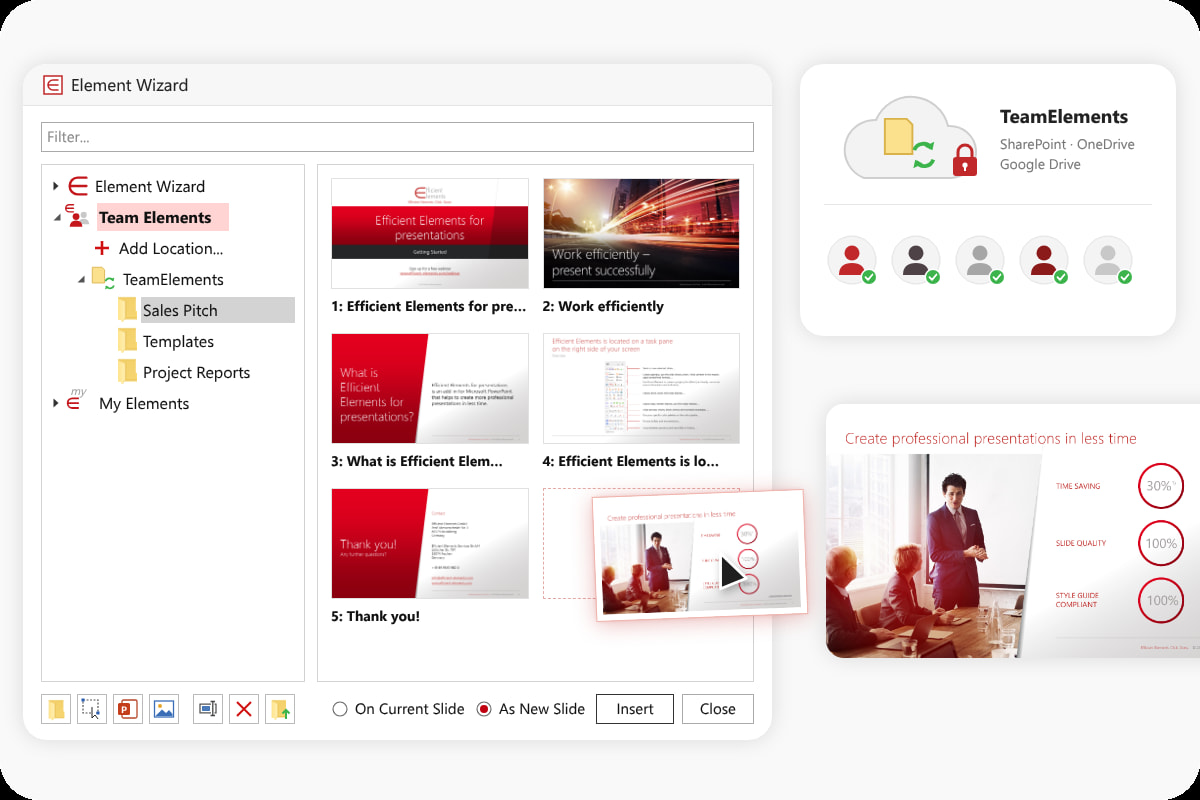

EE Team Elements makes it easy for teams to store, share, and update PowerPoint elements in one secure space.
Every slide and template your team uses, in one shared space.
Change something once and everyone has it — no reminders, no resending.
Manage access and permissions safely using your cloud infrastructure.
Trusted by leading companies worldwide


















Host your Team Elements in OneDrive or Google Drive — wherever your files already live.
Add the folder through the Element Wizard. That’s the setup done.
Upload, edit and reuse slides without leaving PowerPoint.
Upload and tag slides directly
from PowerPoint.
Organize content by project,
team, or topic.
Ensure everyone works with the
latest slide version.
Find reusable slides instantly via
smart search.
Manage, update, and reuse slides directly in PowerPoint — Team Elements keeps every workspace clean and connected.
Start Free TrialTeam Elements simplifies shared slide management — connecting people, templates, and updates in one secure flow.
Keep shared slides, templates, and reusable content organized in one consistent system for the whole team.
Give teams access to approved company content while keeping distribution structured, secure, and easy to manage.
Update a slide once in your shared folder and the whole team works with the latest version. No reminders, no resending files.

See how Team Elements works for your organization.
Start Free TrialTeam Elements connects all users to a shared PowerPoint library — templates, slides, and assets always stay consistent.
Yes — every team member can access and update slides in real time, without overwriting each other’s changes. This is also dependent on the users existing permissions within your company.
All content stays within your company’s environment. Access permissions follow your existing cloud infrastructure.
